---
title: How do I set my funeral home up with Aftercare?
description: Aftercare allows you to provide the family with comfort and support after the funeral. Here is how to set it up through your Tukios website.
---
[Skip to content](https://help.tukios.com/help/how-do-i-set-my-funeral-home-up-with-aftercare#main-content)
English
Show submenu for translations
[Call or Email Here](https://help.tukios.com/help/kb-tickets/new?hsLang=en)
![tukios gradient logo-1.png\]](https://help.tukios.com/hs-fs/hubfs/tukios%20gradient%20logo-1.png?height=40&name=tukios%20gradient%20logo-1.png)
Open main navigation
Close main navigation
- English
Show submenu for translations
- [Call or Email Here](https://help.tukios.com/help/kb-tickets/new)
- Go to tukios.com
Go to tukios.com
Search articles or call us at (801) 682-4391
- There are no suggestions because the search field is empty.
1. [Help Desk](https://help.tukios.com/help?hsLang=en)
2. [Aftercare](https://help.tukios.com/help/aftercare?hsLang=en)
# How do I set my funeral home up with Aftercare?
## Aftercare allows you to provide the family with comfort and support after the funeral. Here is how to set it up through your Tukios website.
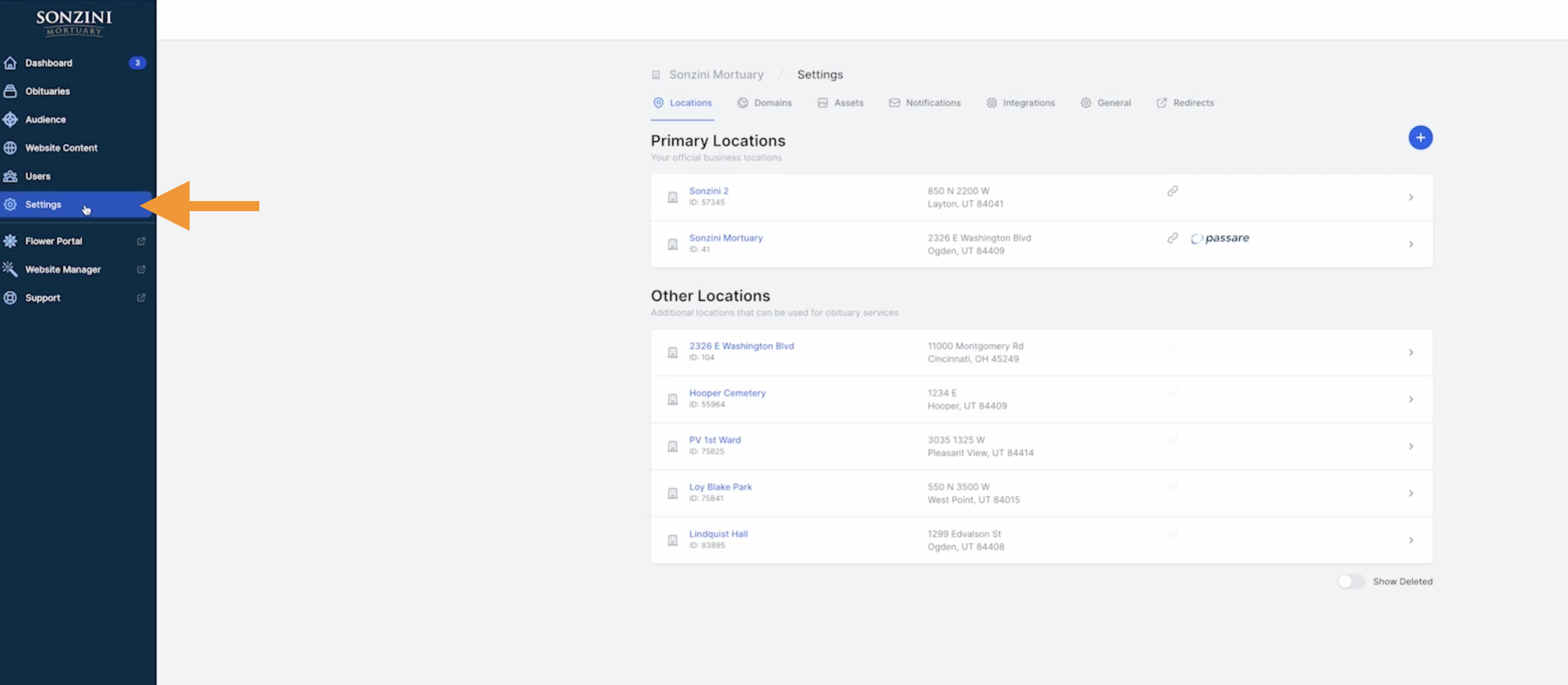
1\. First, login to your website backend and go to "settings".
2\. Then find the integrations tab.
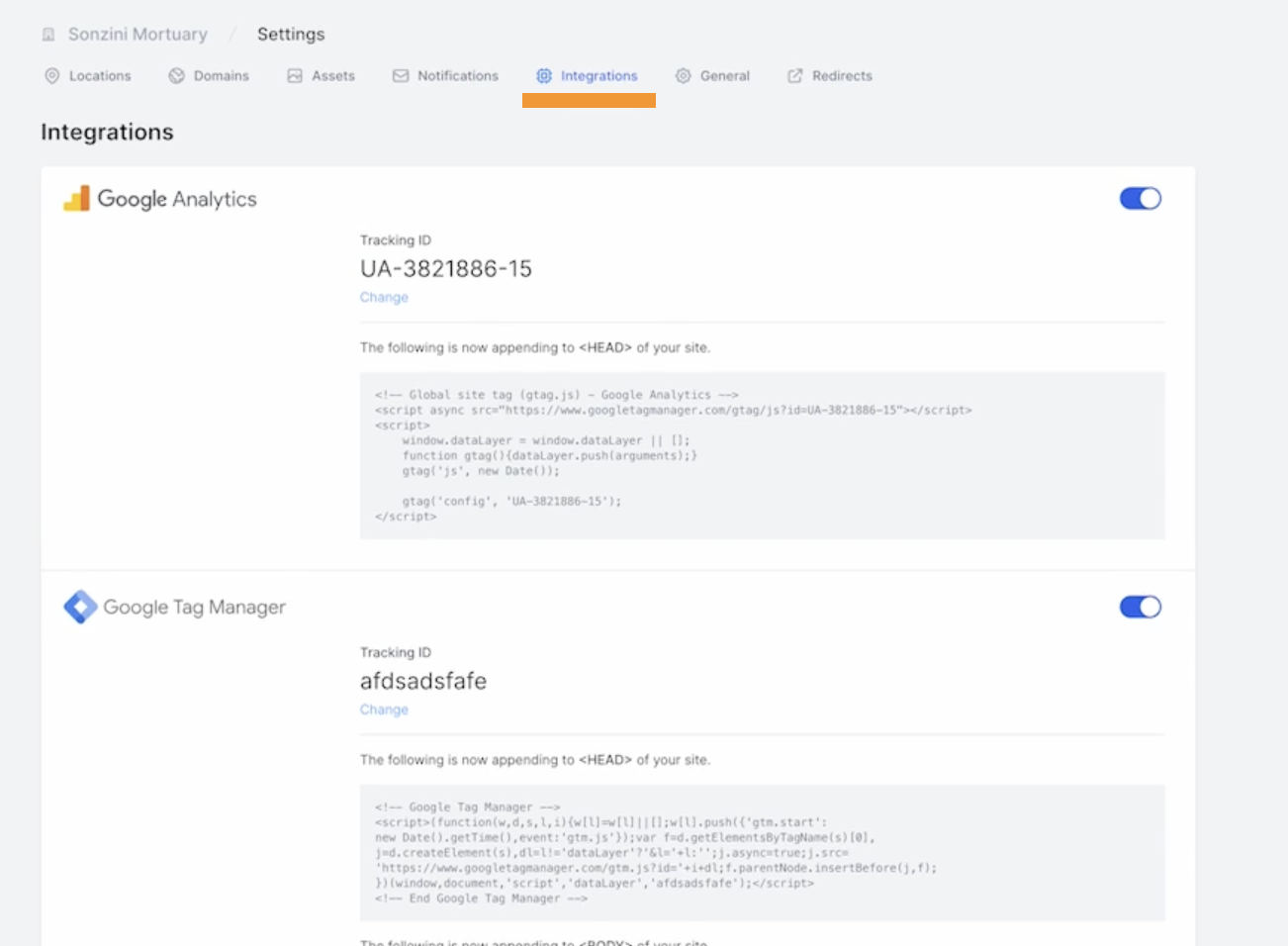
3\. Scroll down to Aftercare and make sure that the toggle is turned on.

- If you already have an Aftercare account, call support to help get you set up.
- If you don't have an Aftercare account, use "purchase credits" to sign up.

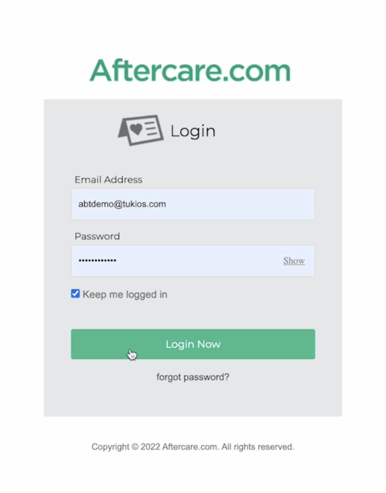
4\. You will then be able to login/sign up.
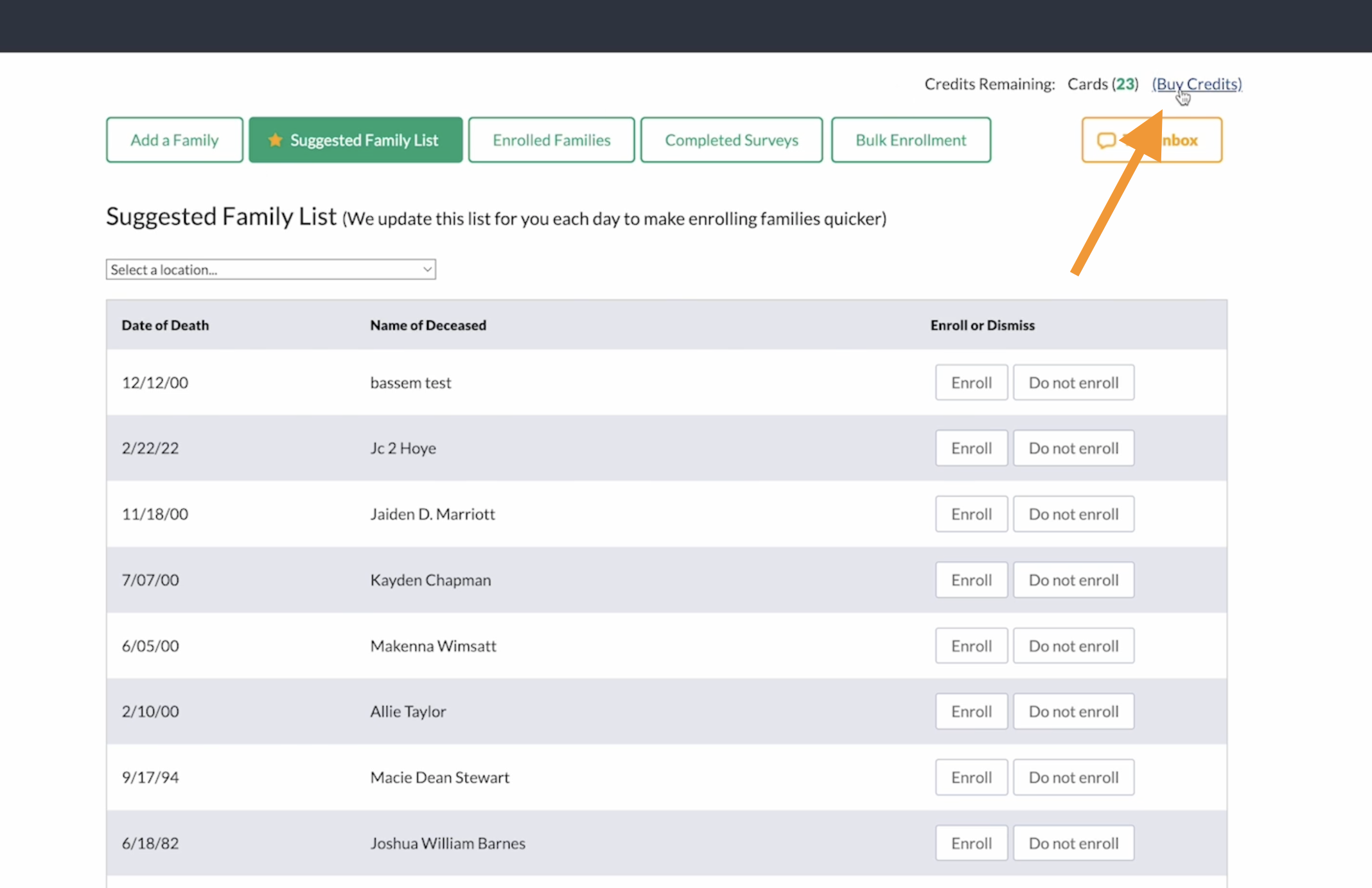
5\. If you need to buy credits for more families to be enrolled, click the "buy credits" in the top righthand corner.
If you have any other questions, please feel free to email or call us.
support@tukios.com | 801.682.4391
- [Websites](https://help.tukios.com/help/websites?hsLang=en#main-content)
- [Arrangement Software](https://help.tukios.com/help/websites?hsLang=en#arrangement-software)
- [Obituaries](https://help.tukios.com/help/websites?hsLang=en#obituaries)
- [Services](https://help.tukios.com/help/websites?hsLang=en#services)
- [Users](https://help.tukios.com/help/websites?hsLang=en#users)
- [Settings](https://help.tukios.com/help/websites?hsLang=en#settings)
- [Integrations](https://help.tukios.com/help/websites?hsLang=en#integrations)
- [Website Editor](https://help.tukios.com/help/websites?hsLang=en#website-editor)
- [Heardstone](https://help.tukios.com/help/websites?hsLang=en#heardstone)
- [Floral](https://help.tukios.com/help/floral?hsLang=en#main-content)
- [General](https://help.tukios.com/help/floral?hsLang=en#general)
- [Products](https://help.tukios.com/help/floral?hsLang=en#products)
- [Payouts](https://help.tukios.com/help/floral?hsLang=en#payouts)
- [Settings](https://help.tukios.com/help/floral?hsLang=en#settings)
- [Videos](https://help.tukios.com/help/videos?hsLang=en#main-content)
- [Family Upload Link](https://help.tukios.com/help/videos?hsLang=en#family-upload-link)
- [Labels and Jackets](https://help.tukios.com/help/videos?hsLang=en#labels-and-jackets)
- [Burn DVD](https://help.tukios.com/help/videos?hsLang=en#burn-dvd)
- [Setup Page](https://help.tukios.com/help/videos?hsLang=en#setup-page)
- [Themes](https://help.tukios.com/help/videos?hsLang=en#themes)
- [Slides Page](https://help.tukios.com/help/videos?hsLang=en#slides-page)
- [Music Page](https://help.tukios.com/help/videos?hsLang=en#music-page)
- [Video Details Page](https://help.tukios.com/help/videos?hsLang=en#video-details-page)
- [Direct Delivery](https://help.tukios.com/help/videos?hsLang=en#direct-delivery)
- [Extra Video Tools](https://help.tukios.com/help/videos?hsLang=en#extra-video-tools)
- [Placing Tukios Videos on Your Website](https://help.tukios.com/help/videos?hsLang=en#placing-tukios-videos-on-your-website)
- [Account Settings](https://help.tukios.com/help/videos?hsLang=en#account-settings)
- [Billing](https://help.tukios.com/help/videos?hsLang=en#billing)
- [Scanning](https://help.tukios.com/help/videos?hsLang=en#scanning)
- [Troubleshooting](https://help.tukios.com/help/videos?hsLang=en#troubleshooting)
- [Keepsake Products](https://help.tukios.com/help/videos?hsLang=en#keepsake-products)
- [Aftercare](https://help.tukios.com/help/aftercare?hsLang=en)
[](http://tukios.com)
tukios.com Help Desk
Copyright © 2026, Tukios Inc