-
From your Tukios dashboard Click "Obituaries"

-
Create a new or edit and existing obituary.

-
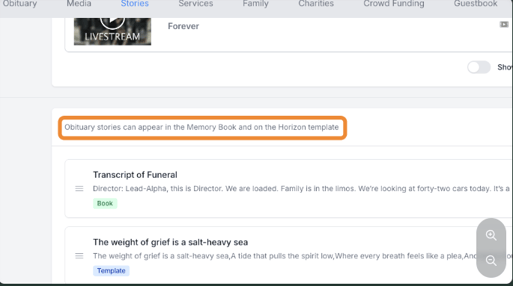
Scroll down to "Stories"

-
Click the plus button

Helpful Tip: This new custom text section appears in the Memory book and on the Horizon Template.
-
First add a name for this New Custom Text

-
Next type in your custom text

-
By default this will display on the obituary page and the memory book, then click "save"

-
To view on the Horizon Template active obituary click "View Obituary"

-
Scroll down on the obit to see the Custom Text Section.

-
To view on the Memory Book scroll down to book and click "inside" you will see theres a section that features the custom text.

English
![tukios gradient logo-1.png]](https://help.tukios.com/hs-fs/hubfs/tukios%20gradient%20logo-1.png?height=40&name=tukios%20gradient%20logo-1.png)